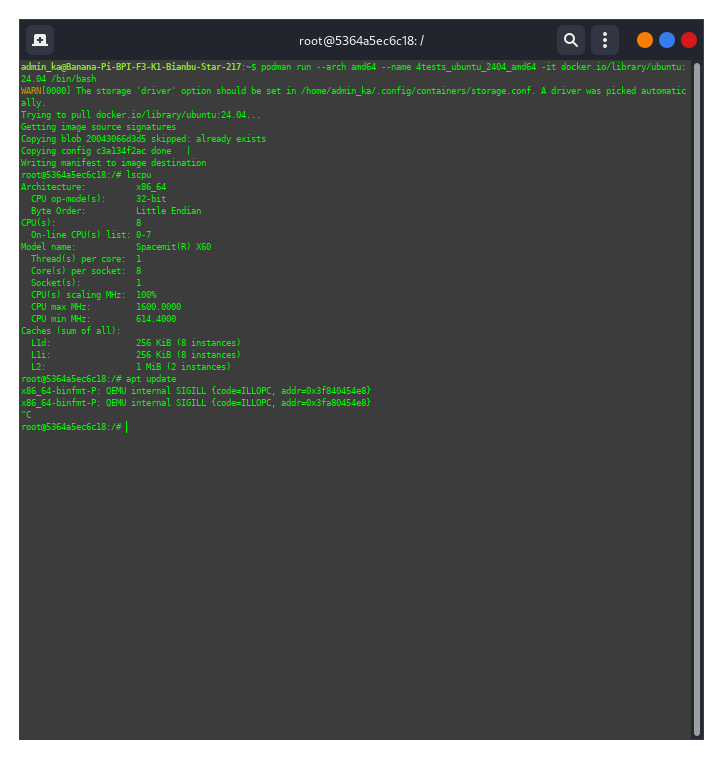
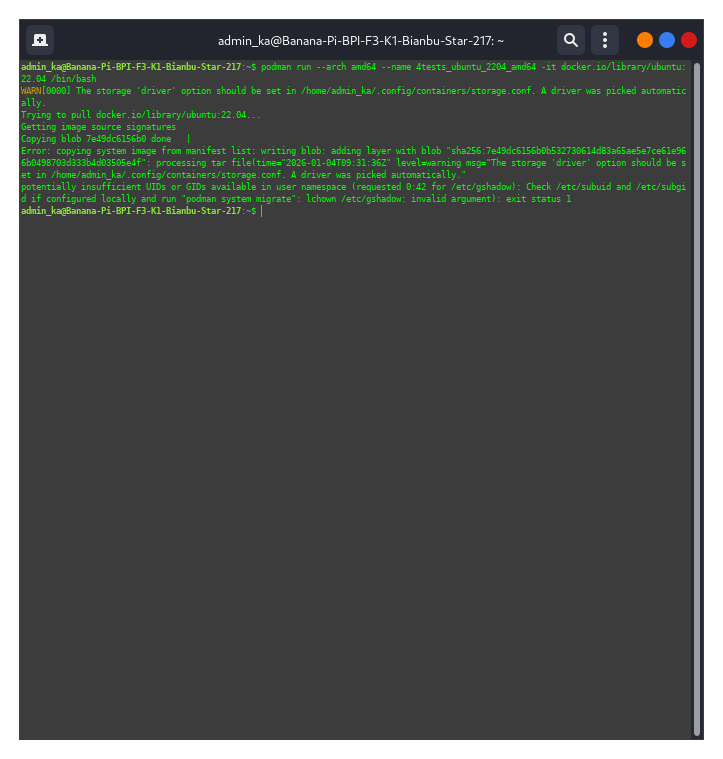
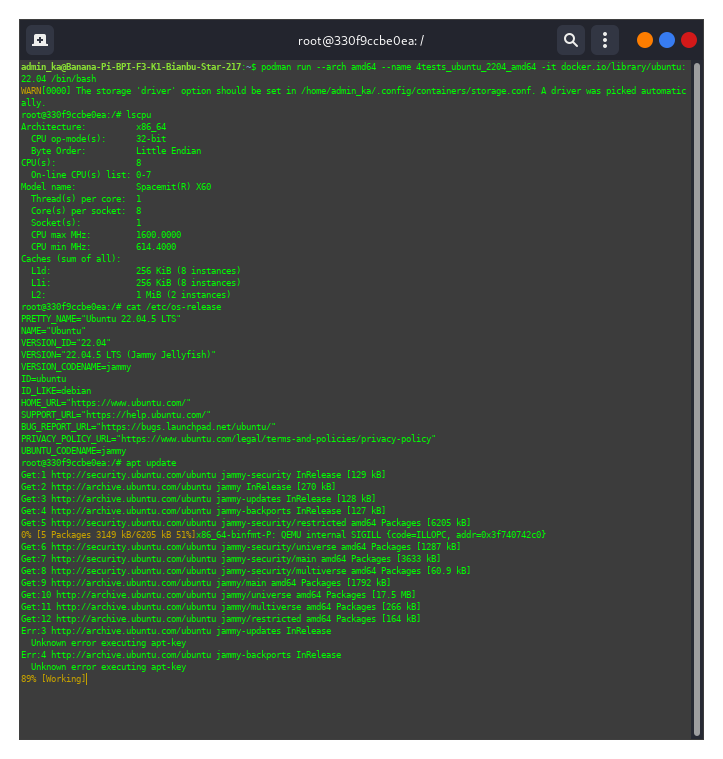
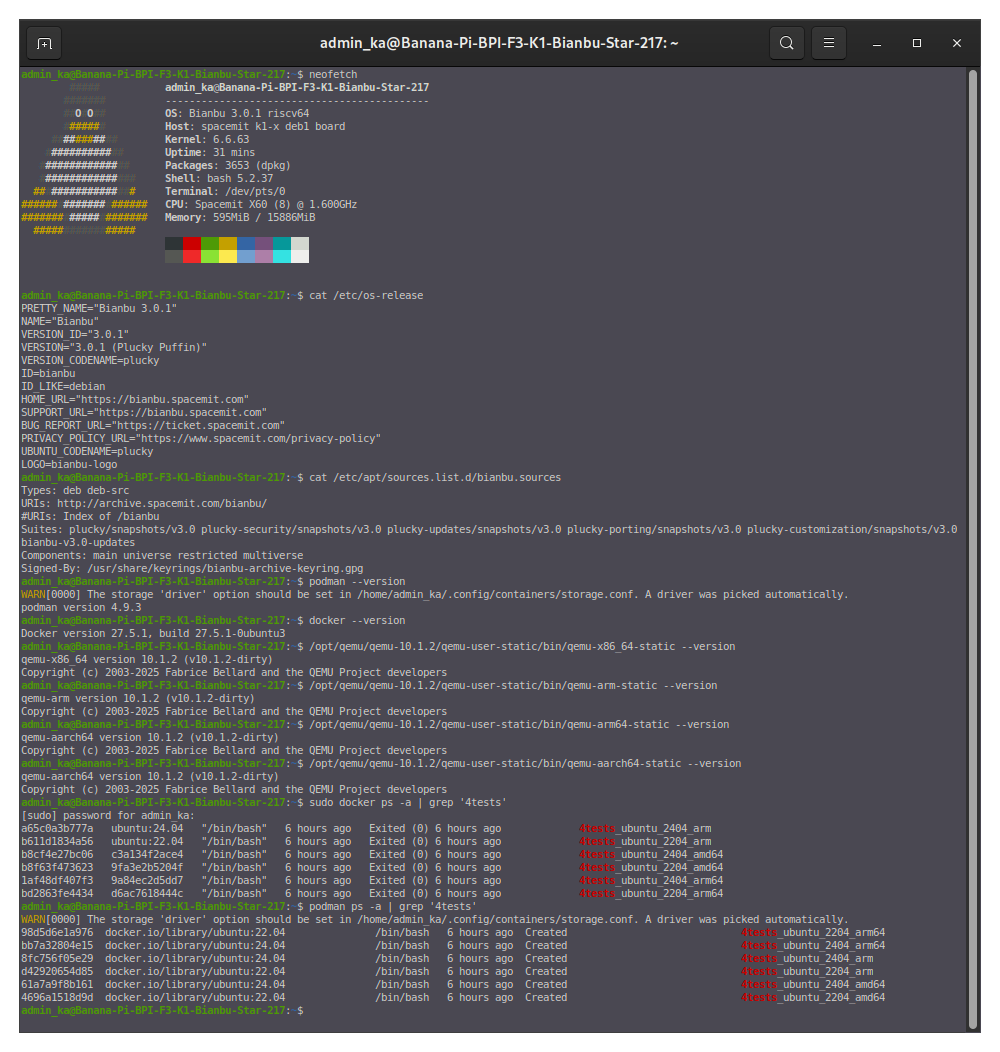
Okay, I’ll repeat it again (although I’ve already attached screenshots of commands executed in the podman container)
These commands are:
apt update
apt list --upgradable
apt upgrade -y
apt install libc-bin -y
This is only to check the functionality of containers for x86 and arm64 architectures. I haven’t yet tested or created a corresponding container for the arm32 architecture.
Okay. I must have gotten distracted somewhere and missed your message about v10.1.2. Sorry.
By the way, GitLab now has version 10.2.0 in stable. Could you please clarify whether your patches apply to versions newer than 10.1.2, such as 10.1.3 and 10.2.0?
Both versions you mentioned are affected, as the issue described above has not been fixed in them. However, due to file changes, applying the patch might result in minor errors, which can be easily resolved.
To avoid any omissions, I’ve listed all the patches that need to be applied in the attachment.
These follow 4 patches were obtained from the QEMU mailing list and are primarily intended to support vector signal context for risc-v, otherwise it will causes “illegal instruction” issues. I added them to my branch quite some time ago, and I’m sharing them with you in case your branch doesn’t have them yet.
Alas. Unfortunately, neither the patched version of qemu-10.1.2 I built (the patches from the attached archive) nor your binary work without errors. The errors are still the same.
I don’t know what to think anymore ((.
I’m building qemu in Bianbu Start 2.1.7 and Bianbu 2.2.1. I’d like to know how you build!?
Please dump your container image rootfs to me by the following commands. I’d like to test it based on your rootfs. It would be best to directly upload your container image. Thanks.
If the file is too large to submit on this forum, please send it directly to the email address: zhijin.zeng@spacemit.com.
# ubuntu:22.04 is my container name, you need to modify it based on your container name.
cid=$(podman create ubuntu:22.04)
podman export "$cid" -o rootfs.tar
podman rm "$cid"
I haven’t yet created any specific containers for other processor architectures on BS-2.1.7 and B-2.2.1; I just decided to check how standard containers created from official Ubuntu 24.04 images would work.
podman run --arch amd64 --name test-qemu -it docker.io/library/ubuntu:24.04 /bin/bash
and running the following commands, but still encountered no errors.
apt update
apt upgrade -y
apt install libc-bin -y
My QEMU binary is based on the qemu-v10.1.2 tag and only includes the six patches listed above. Compared to your build command, I only added --target-list=x86_64-linux-user to speed up the compilation.
Could you please help package your QEMU binary and send it to me? I’d like to test it on my spacemit-k1 board.
If it still works without errors, then I’ll need to investigate potential differences between our boards (although I believe qemu-user is purely userspace software and shouldn’t be affected by hardware differences, I probably have to verify this anyway).
I figured out what was going on. When I was compiling the Linux kernel, I decided to rename the user to the same name as on the forum, but forgot to change the group. I fixed it. Now:
I used the same board and switched the firmware to Bianbu 2.2rc3 (previously I was using Bianbu 3.0), and successfully reproduced the issue. I will continue investigating the problem on Bianbu 2.2rc3. Could you please try upgrading your firmware to Bianbu 3.0 or a newer version to test?
root@1eaed8173998:/# apt update
x86_64-binfmt-P: QEMU internal SIGILL {code=ILLOPC, addr=0x3f7c042100}
x86_64-binfmt-P: QEMU internal SIGILL {code=ILLOPC, addr=0x3f80135f40}
0% [Connecting to archive.ubuntu.com] [Connecting to security.ubuntu.com]
0% [Waiting for headers] [Waiting for headers]
It could be due to differences in Podman versions. Running the command outside the container does not cause any issues, but it results in an “illegal instruction” error inside the container.
Good. You finally found this problem. It turns out I have it, but others are silent. Either they haven’t tried working with other container architectures, or everything is fine with them.
No, I don’t plan to update Bianbu Star 2.1.7 and Bianbu 2.2.1 yet. I already have everything configured the way I need it. Unless I absolutely need to, because reconfiguring it would take a lot of time. The easiest option would be to flash the latest images to microSD cards and test containerization that way.
This also applies to Docker.
sudo docker run --platform amd64 --name 4tests_ubuntu_2404_amd64 -it docker.io/library/ubuntu:24.04 /bin/bash
and if you then run apt update in the container, the same errors occur.
If we can confirm that firmware version Bianbu 3.0 or newer does not have this issue, I don’t intend to spend time analyzing it on the Bianbu 2.2rc3 version, and I will proceed to close this issue.
Finally, thank you for your cooperation during this time. I’ll try to submit patches for the two issues I addressed earlier to the QEMU community. Thanks!
Containers in Podman and Docker were created and updated without errors!
However, Podman still wasn’t updated; it remained the same as Bianbu Star 2.1.7.
Docker was updated.
Qemu remained the same, compiled manually. However, everything worked fine. So the issue is most likely with system libraries.
A drawback of the upgrade: upon login, llvmpipe starts, which uses all CPU cores 100%.
I still haven’t been able to fix this. I’m thinking of reinstalling the entire system.