What's the problem with SDL2 in Bianbu?

Hi all !

At the moment I am writing from the device Banana Pi BPI-F3 with 16Gb RAM/128 eMMC.
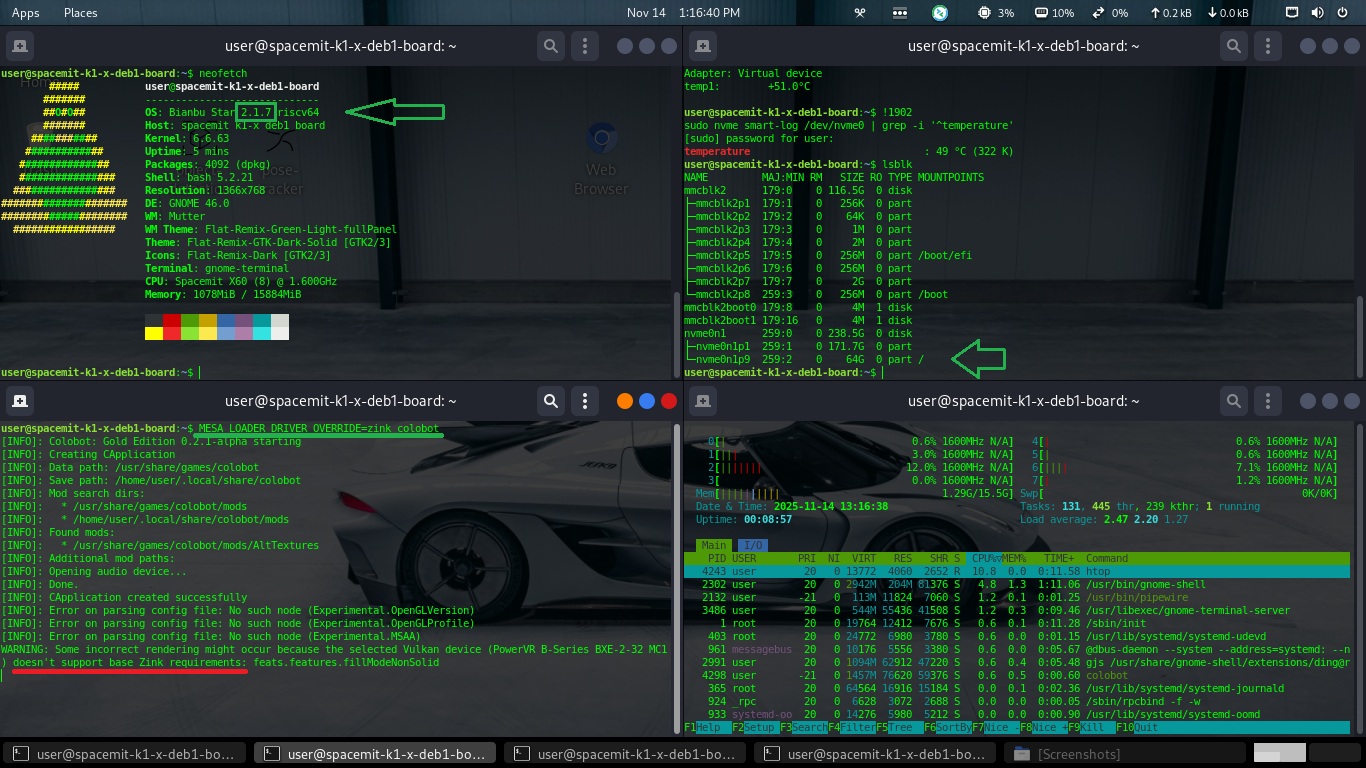
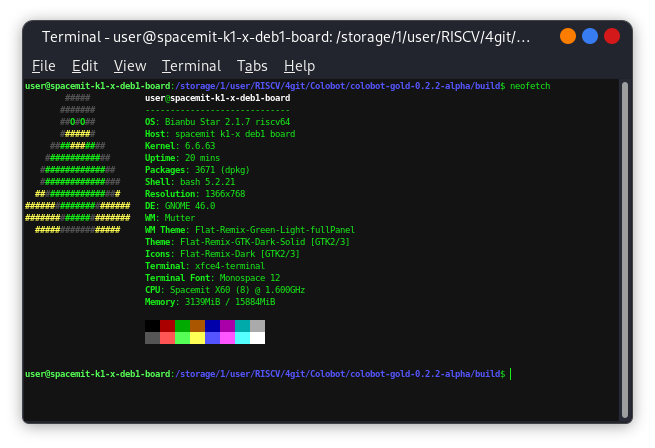
The OS is installed Bianbu Star 2.1.7 (

Спойлер

).

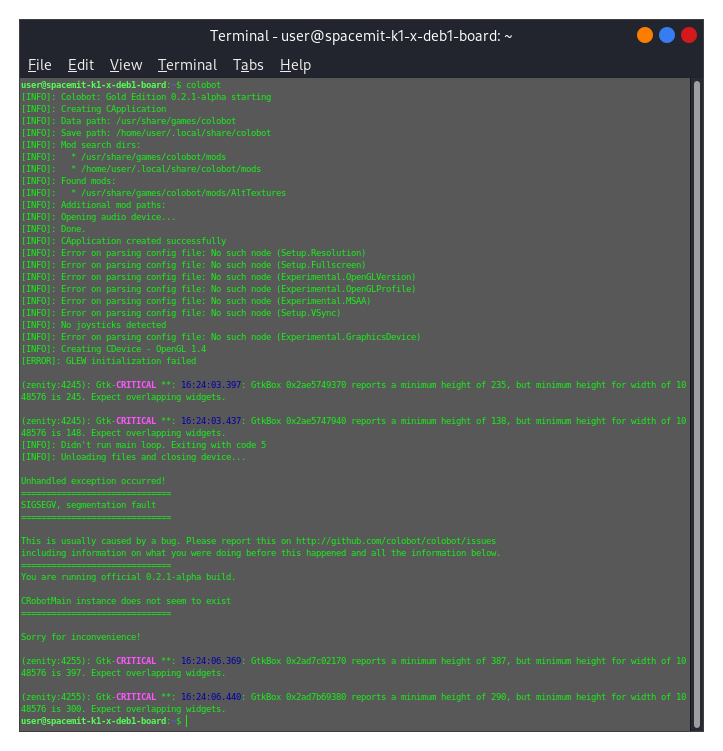
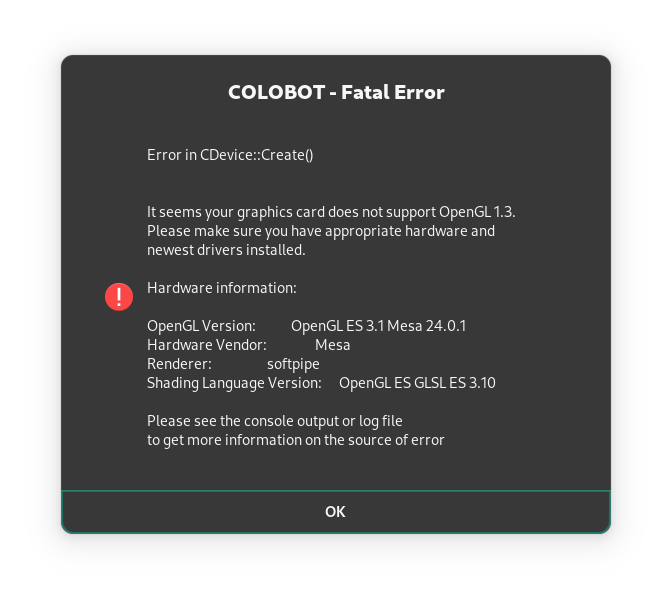
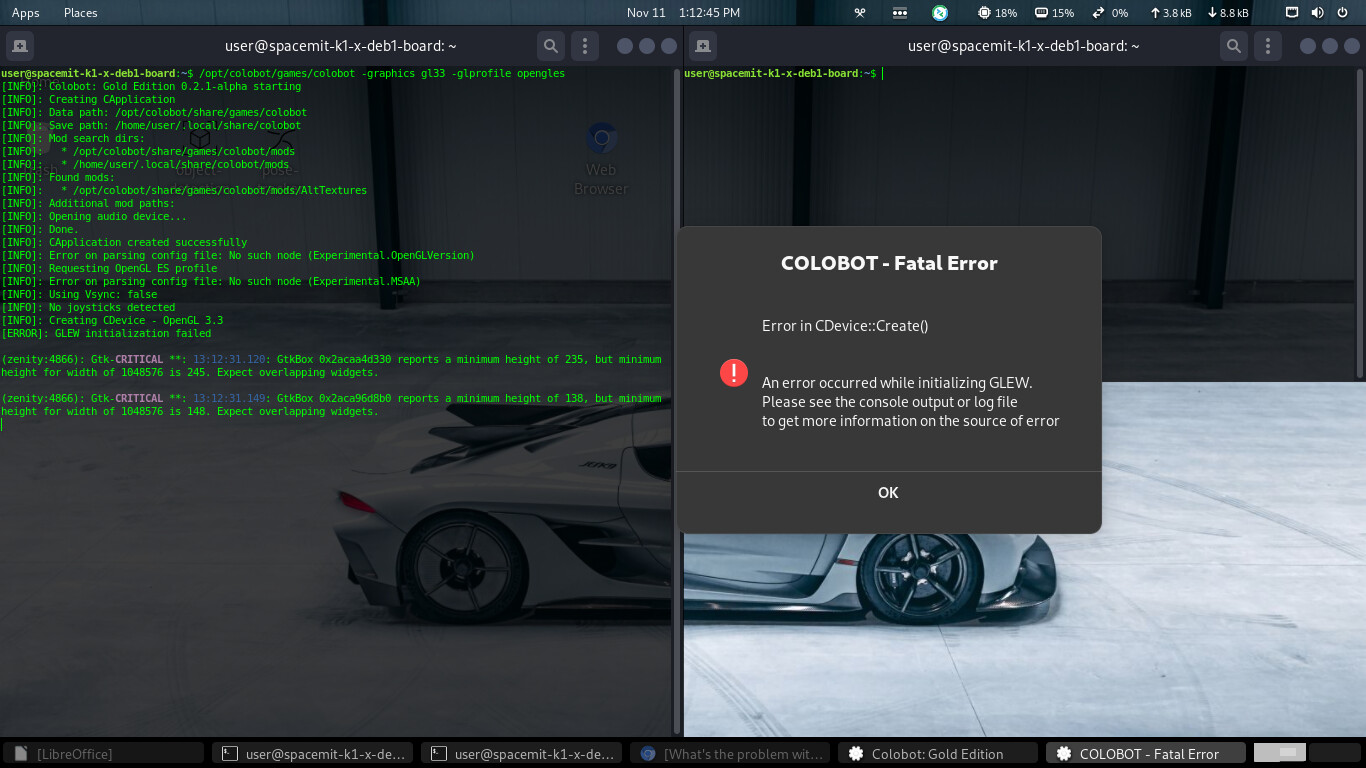
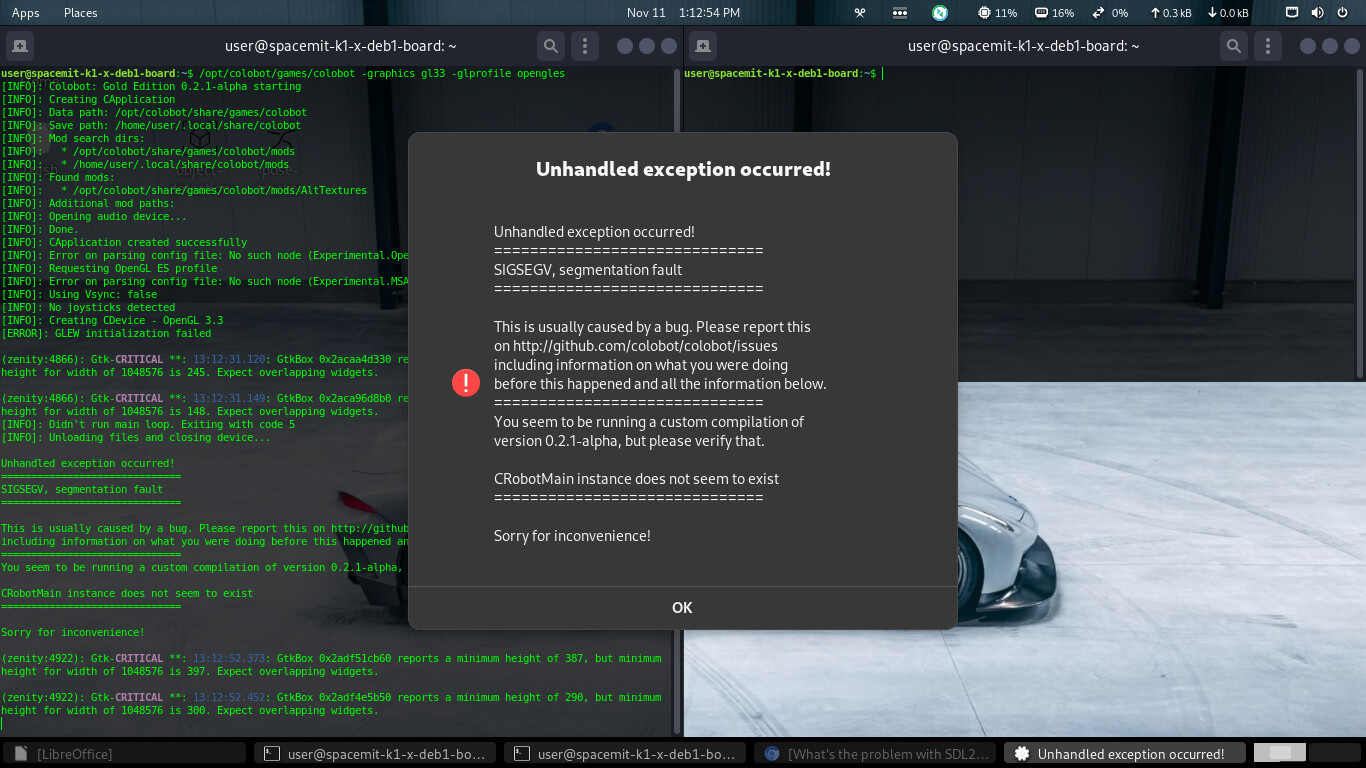
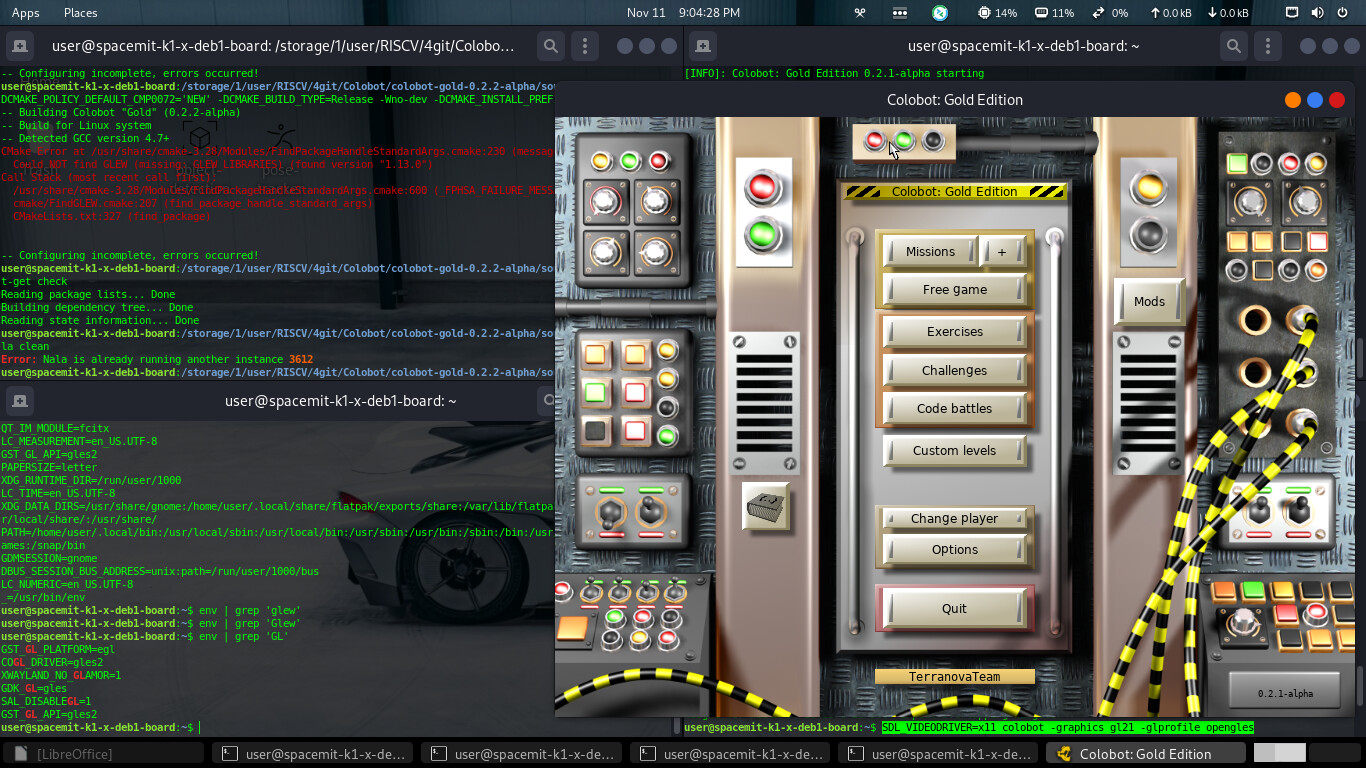
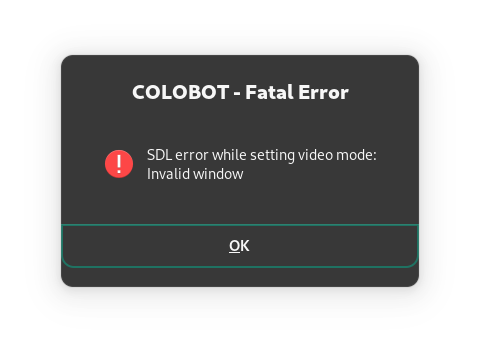
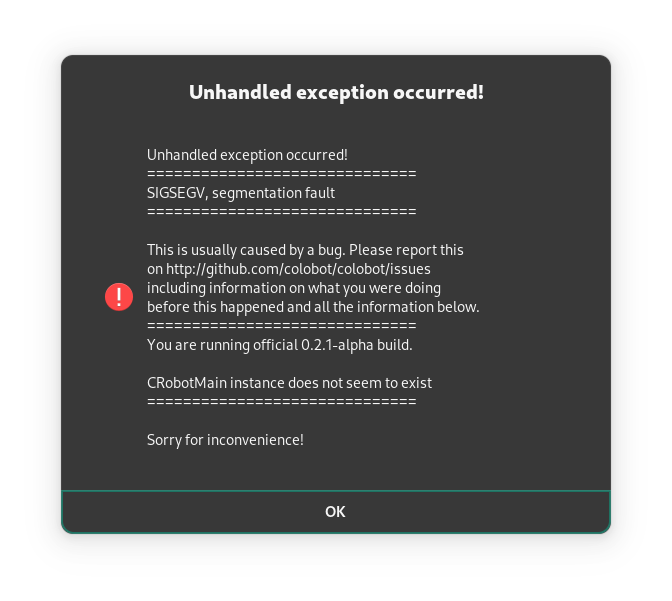
When running Colobot from the command line in a terminal, error windows pop up:

Спойлер

Спойлер

Спойлер

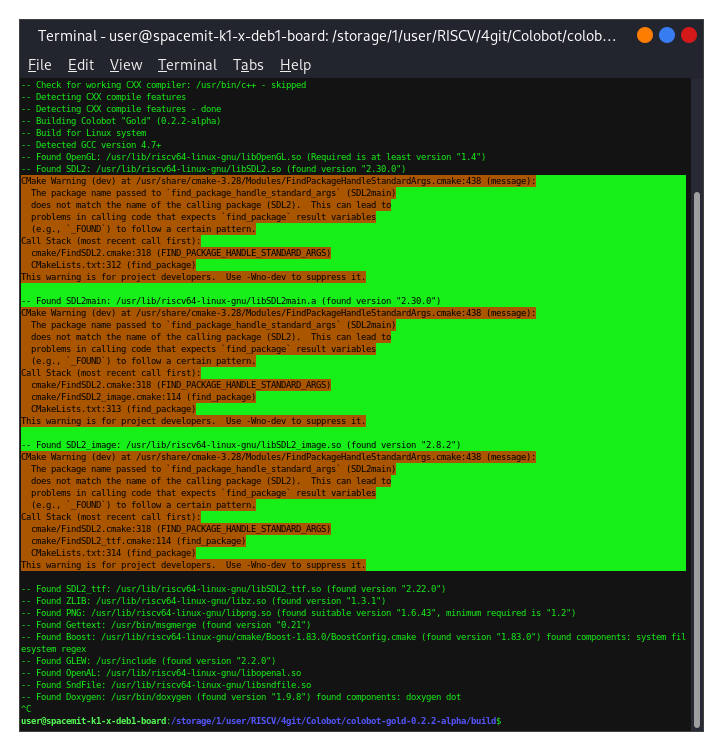
When attempting to build from source code, the following warnings appear (

Спойлер

):

If I ignore these warnings and let colobot build, then after compiling, when I run it, the same two warning windows pop up again.

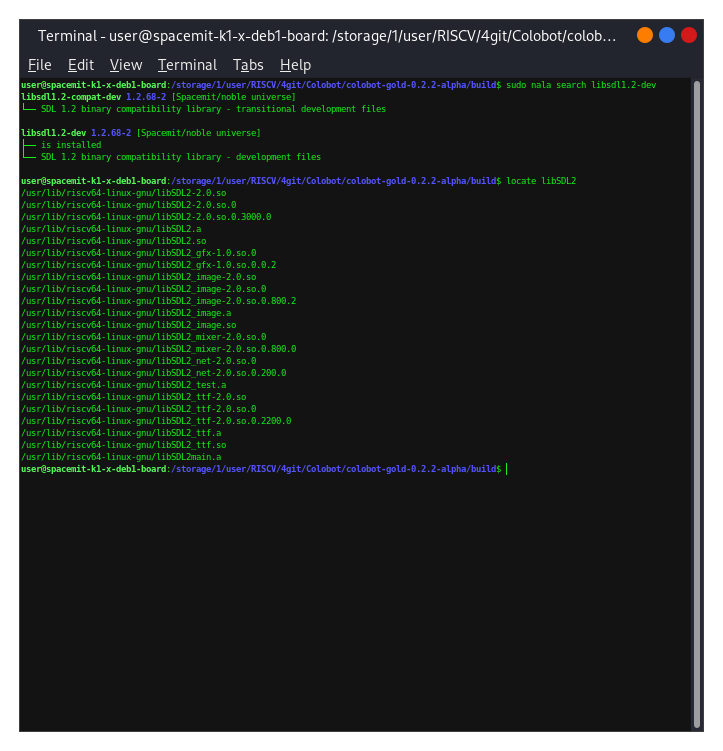
To clarify, the libsdl package is installed, and the library files are currently as follows (

Спойлер

):

What’s wrong with SDL2 in Bianbu?

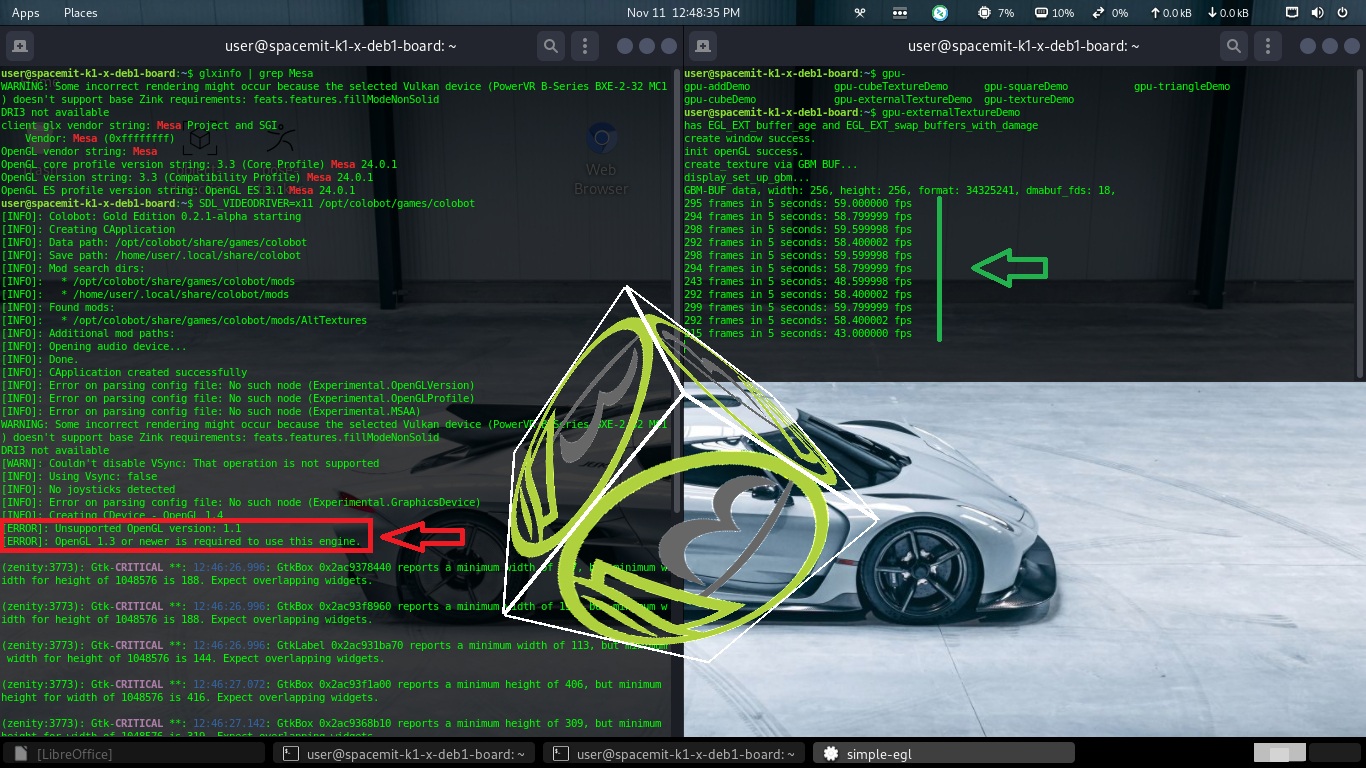
While searching for a solution, I came across a recommendation to run colobot through x11, not wayland - $ SDL_VIDEODRIVER=x11 colobot
And this is the

Spoiler

the game crashes into.

To clarify: I first tried running Colobot Gold Edition 0.2.1-alpha from the Bianbu Star repository. After that version crashed, I tried building Colobot Gold Edition 0.2.2-alpha from source. Judging by the error described in this post, the game crashed because an older version of Mesa was installed on the system. However, that version supports PowerVR B-Series BXE-2-32 MC1 graphics cards, which newer versions of Mesa no longer support. And the game requires a fresh version of Mesa!

It appears the issue isn’t with the Mesa version, but rather a failure in GLEW initialization. The following command can be used to specify the OpenGL version used at runtime:
colobot -graphics gl33 -glprofile opengles

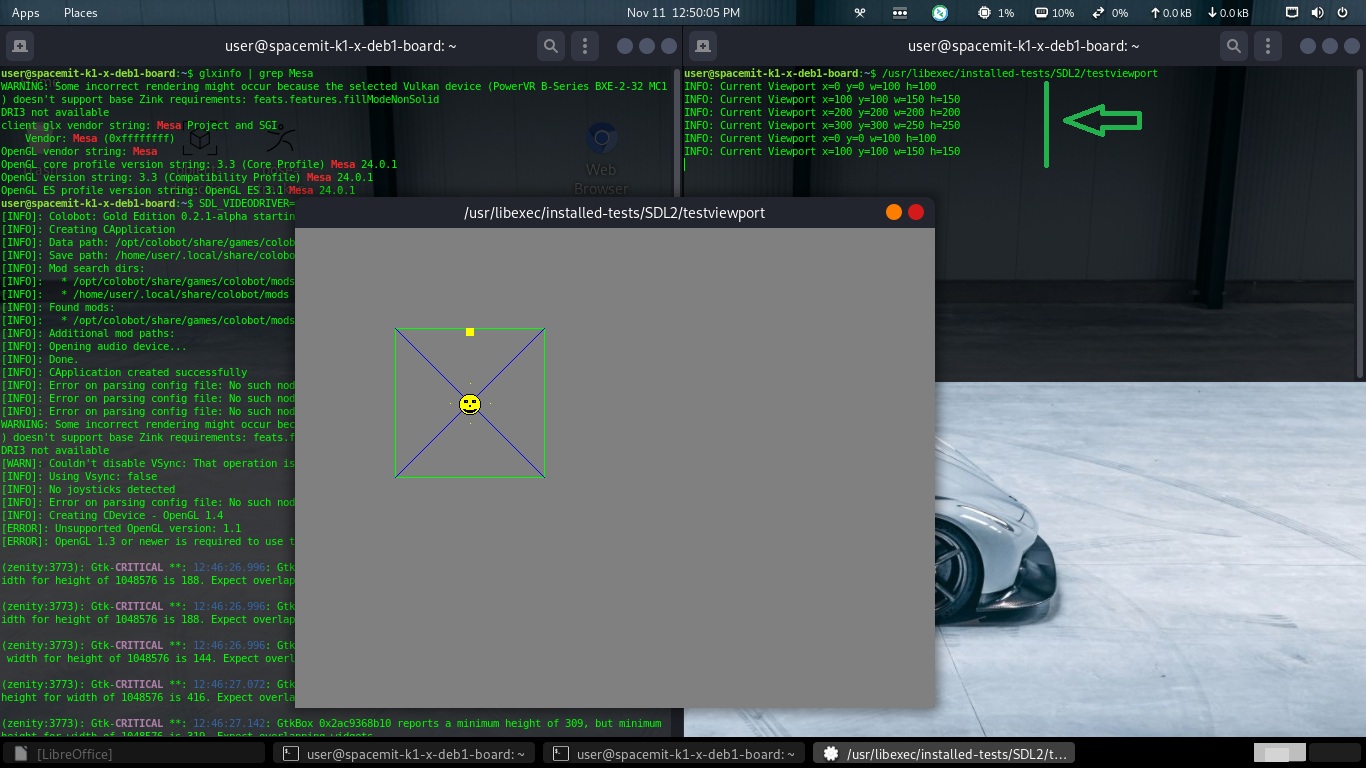
SDL2 should be working correctly, you can run the SDL2 demo to confirm:

sudo apt install libsdl2-tests
cd /usr/libexec/installed-tests/SDL2
./testviewport

Thank you for your interest in this topic!

Spoiler

SDL works… at least in this test.

Spoiler

Spoiler

Colobot (in this case, version 0.2.1 was compiled from the source code) still produces errors.

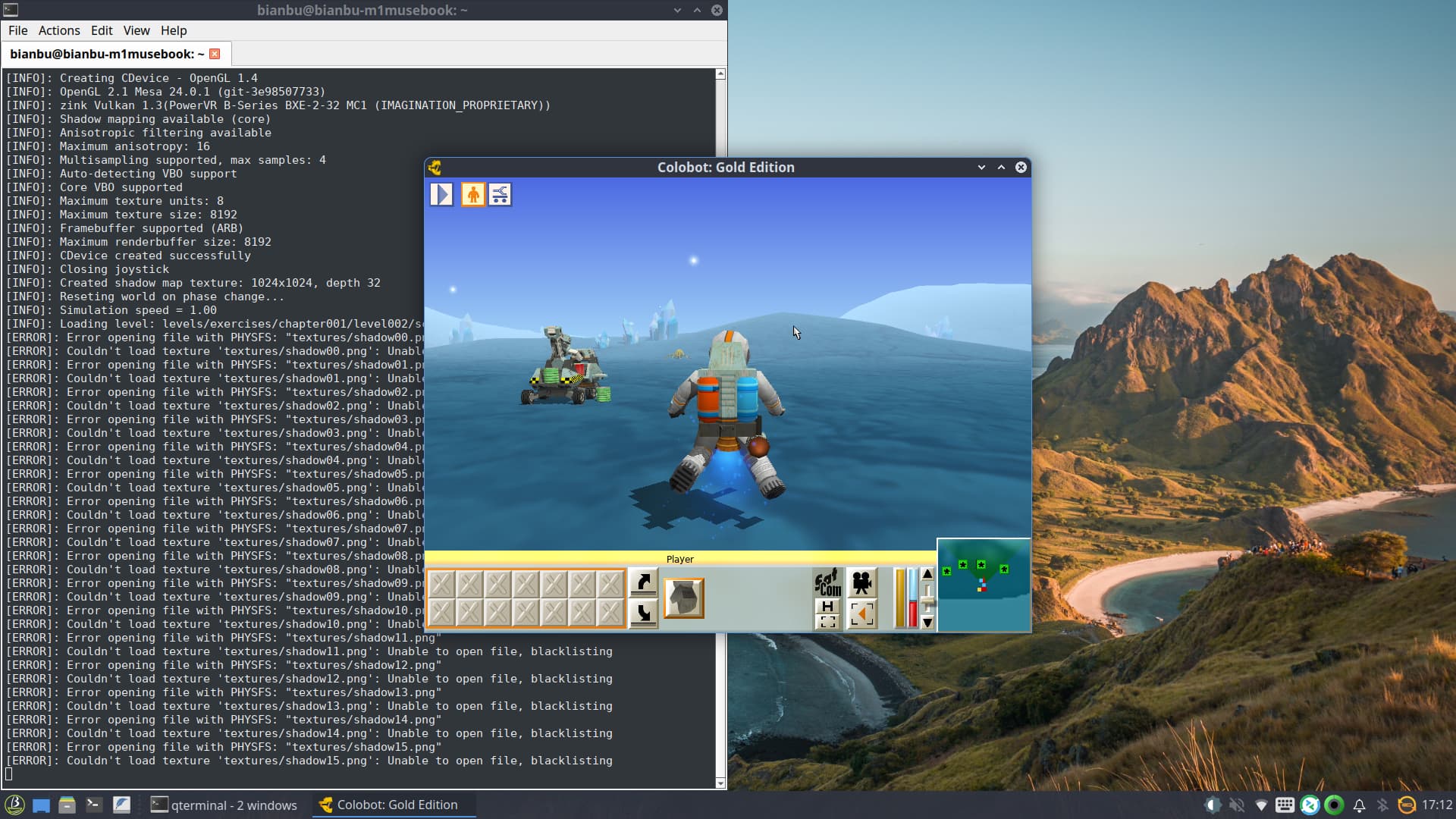
  1. I’ve indicated this with a red arrow here. Colobot 0.2.1 requires OpenGL version 1.4, but the system currently has version 1.1 installed - “It seems your graphics card does not support OpenGL 1.3…” This is the cause of the problem launching Colobot. I tested this with manually compiled versions 0.2.2 and 0.2.1. I can’t test version 0.2.0; for some reason, it doesn’t allow me to download the necessary resources for the build, so I haven’t tested it.
Spoiler

Still, we managed to launch Colobot 0.2.1 installed from the repository.

Spoiler

The command to run is as follows:
SDL_VIDEODRIVER=x11 colobot -graphics auto/opengl/gl14/gl21/gl33 -glprofile core/compatibility
It freezes terribly, but it works !

Not use -graphics default & -glprofile default/opengles

Not use wayland SDL_VIDEODRIVER !!!

P.S. We can probably close this topic.

Hi Admin,

If you are using Bianbu 3.0, you can try this pach for glew:

diff --git a/debian/control b/debian/control
index 73456de..d78914b 100644
--- a/debian/control
+++ b/debian/control
@@ -7,6 +7,7 @@ Build-Depends: debhelper-compat (= 13),
                docbook-to-man,
                libgl1-mesa-dev | libgl-dev,
                libglu1-mesa-dev | libglu-dev,
+               libegl1-mesa-dev | libegl-dev,
                libx11-dev,
                libxi-dev,
                libxmu-dev
diff --git a/debian/rules b/debian/rules
index 4d01d81..c223433 100755
--- a/debian/rules
+++ b/debian/rules
@@ -15,6 +15,7 @@ export DH_VERBOSE=1
 include /usr/share/dpkg/architecture.mk

 DPKG_EXPORT_BUILDFLAGS = 1
+# Enable GLEW_EGL support
 DEB_CFLAGS_MAINT_APPEND = -Wall -g
 include /usr/share/dpkg/buildflags.mk

@@ -29,13 +30,15 @@ override_dh_auto_configure:

 override_dh_auto_build:
        dh_auto_build -- \
-               GL_LDFLAGS=-lGL \
+               GL_LDFLAGS="-lGL -lEGL" \
                GLU_LDFLAGS=-lGLU \
                GLUT_LDFLAGS=-lglut \
                LIBDIR=/usr/lib/$(DEB_HOST_MULTIARCH) \
                'LD=$$(CC)' \
                SYSTEM=$(firstword $(subst -, ,$(DEB_HOST_GNU_SYSTEM))) \
-               'OPT=$(CFLAGS)'
+               'OPT=$(CFLAGS)' \
+               'CFLAGS.EXTRA=-DGLEW_EGL' \
+               'LDFLAGS.EXTRA=-lEGL'
        dh_installdirs
        $(MAKE) install.all GLEW_DEST=$(CURDIR)/debian/tmp/usr LIBDIR=$(CURDIR)/debian/tmp/usr/lib/$(DEB_HOST_MULTIARCH)

Rebuild glew and run colobot via zink using the following command:

MESA_LOADER_DRIVER_OVERRIDE=zink colobot

A fixed version of glew will be released in a future update.

Spoiler

Hi Sterling-Ash !

No, Bianbu Star 2.1.7 is installed, the root partition / is on nvme!

Спойлер

At the moment, there is no possibility to rebuild Glew for Bianbu 3.0, and in Bianbu 2.1.7 version, Colobot does not start with the command “MESA_LOADER_DRIVER_OVERRIDE=zink colobot” .

In any case, thank you for your desire to help!

Hi, Admin
Don’t worry about that warning—Bianbu Star 2.1.7 also supports Zink, so you can rebuild GLEW as well.

Hi Sterling-Ash

Am I right in thinking that the patch needs to be applied to libglew2.2, but I don’t understand where to download the source code?!

$ sudo apt-get source libglew2.2 - can’t find the source code because apt doesn’t specify a source resource!

$ cat /etc/apt/sources.list.d/bianbu.sources
Types: deb
URIs: Index of /bianbu
Suites: noble/snapshots/v2.1 noble-security/snapshots/v2.1 noble-porting/snapshots/v2.1 noble-customization/snapshots/v2.1 noble-s1
Components: main universe restricted multiverse
Signed-By: /usr/share/keyrings/bianbu-archive-keyring.gpg

And I still don’t understand where to download it! From Debian or Ubuntu resources?

Hi, ka

There are two ways to get the source code.

  1. Change the /etc/apt/sources.list.d/bianbu.sources
Types: deb deb-src
URIs: https://archive.spacemit.com/bianbu/
Suites: noble/snapshots/v2.1 noble-security/snapshots/v2.1 noble-porting/snapshots/v2.1 noble-customization/snapshots/v2.1 noble-s1
Components: main universe restricted multiverse
Signed-By: /usr/share/keyrings/bianbu-archive-keyring.gpg

and then,

sudo apt update && sudo apt source glew
  1. Download the source code form this website: Debian / glew · GitLab

Excellent, tnx.

I think this is no longer necessary after:
$ sudo dpkg-source -x glew_2.2.0-4build1.dsc

But I can’t seem to patch anything. The process starts, but it never finishes.
cd /usr/src/glew-2.2.0/src
sudo patch -p0 /home/user/glew.patch

  • Damn, I missed the < sign.
    The patch works, but now I can’t figure out what to answer his questions?!
Спойлер

can’t find file to patch at input line 5
Perhaps you used the wrong -p or --strip option?
The text leading up to this was:

|diff --git a/debian/control b/debian/control
|index 73456de…d78914b 100644
|— a/debian/control

+++ b/debian/control
File to patch:

** By changing the patch version, the team worked…but again with an error.

Спойлер

sudo patch -p1 < /home/user/Build/Spacemit/glew_patch4zink/002.patch
patching file debian/control
patching file debian/rules
patch unexpectedly ends in middle of line
Hunk #2 FAILED at 30.
1 out of 2 hunks FAILED – saving rejects to file debian/rules.rej
Okay, what does the debian/rules.rej file contain?

This is it:

Спойлер

$ cat debian/rules.rej
— debian/rules
+++ debian/rules
@@ -30,13 +31,15 @@ override_dh_auto_configure:

override_dh_auto_build:
dh_auto_build – \

  •           GL_LDFLAGS=-lGL \
    
  •           GL_LDFLAGS="-lGL -lEGL" \
              GLU_LDFLAGS=-lGLU \
              GLUT_LDFLAGS=-lglut \
              LIBDIR=/usr/lib/$(DEB_HOST_MULTIARCH) \
              'LD=$$(CC)' \
              SYSTEM=$(firstword $(subst -, ,$(DEB_HOST_GNU_SYSTEM))) \
    
  •           'OPT=$(CFLAGS)'
    
  •           'OPT=$(CFLAGS)' \
    
  •           'CFLAGS.EXTRA=-DGLEW_EGL' \
    
  •           'LDFLAGS.EXTRA=-lEGL'
      dh_installdirs
    

Just let the debian/rules looks like that:

DPKG_EXPORT_BUILDFLAGS = 1
Enable GLEW_EGL support
DEB_CFLAGS_MAINT_APPEND = -Wall -g
GL_LDFLAGS="-lGL -lEGL" \
          GLU_LDFLAGS=-lGLU \
          GLUT_LDFLAGS=-lglut \
          LIBDIR=/usr/lib/$(DEB_HOST_MULTIARCH) \
          'LD=$$(CC)' \
          SYSTEM=$(firstword $(subst -, ,$(DEB_HOST_GNU_SYSTEM))) \
         'OPT=$(CFLAGS)' \
         'CFLAGS.EXTRA=-DGLEW_EGL' \
         'LDFLAGS.EXTRA=-lEGL'

Only a few lines need to be modified:

Again goes into error:

Спойлер

Hunk #2 FAILED at 29.
1 out of 2 hunks FAILED – saving rejects to file debian/rules.rej
The file debian/rules.rej contains the following content:

Спойлер

— debian/rules
+++ debian/rules
@@ -30,13 +31,15 @@ override_dh_auto_configure:

override_dh_auto_build:
dh_auto_build – \

  •           GL_LDFLAGS=-lGL \
    
  •           GL_LDFLAGS="-lGL -lEGL" \
              GLU_LDFLAGS=-lGLU \
              GLUT_LDFLAGS=-lglut \
              LIBDIR=/usr/lib/$(DEB_HOST_MULTIARCH) \
              'LD=$(CC)' \
              SYSTEM=$(firstword $(subst -, ,$(DEB_HOST_GNU_SYSTEM))) \
    
  •           'OPT=$(CFLAGS)'
    
  •           'OPT=$(CFLAGS)' \
    
  •           'CFLAGS.EXTRA=-DGLEW_EGL' \
    
  •           'LDFLAGS.EXTRA=-lEGL'
      dh_installdirs
      $(MAKE) install.all GLEW_DEST=$(CURDIR)/debian/tmp/usr LIBDIR=$(CURDIR)/debian/tmp/usr/lib/$(DEB_HOST_MULTIARCH)
    

Okay, let’s unzip and replace the control and rules files with those in the attached debian.zip
debian.zip (2.0 KB)

$ unzip debian.zip
Archive: debian.zip
warning [debian.zip]: zipfile is empty

Sorry, the previous zip was empty. I’ve updated it — please use the new one.

No, everything’s still the same, I can’t patch it. There’s an error regarding the second point.

Hi, ka

Just replace them directly, do not apply patches.