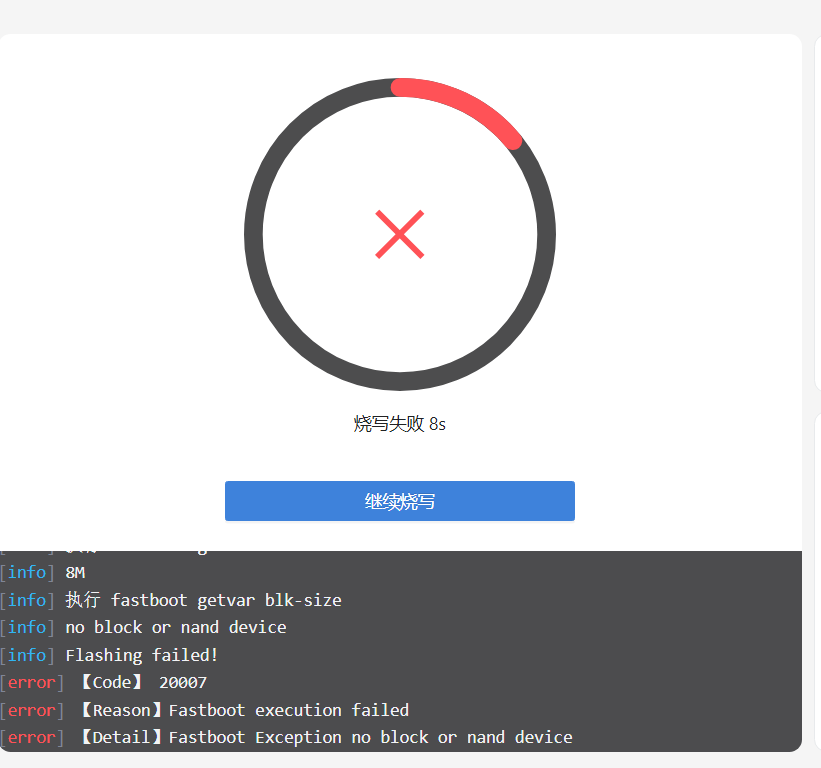
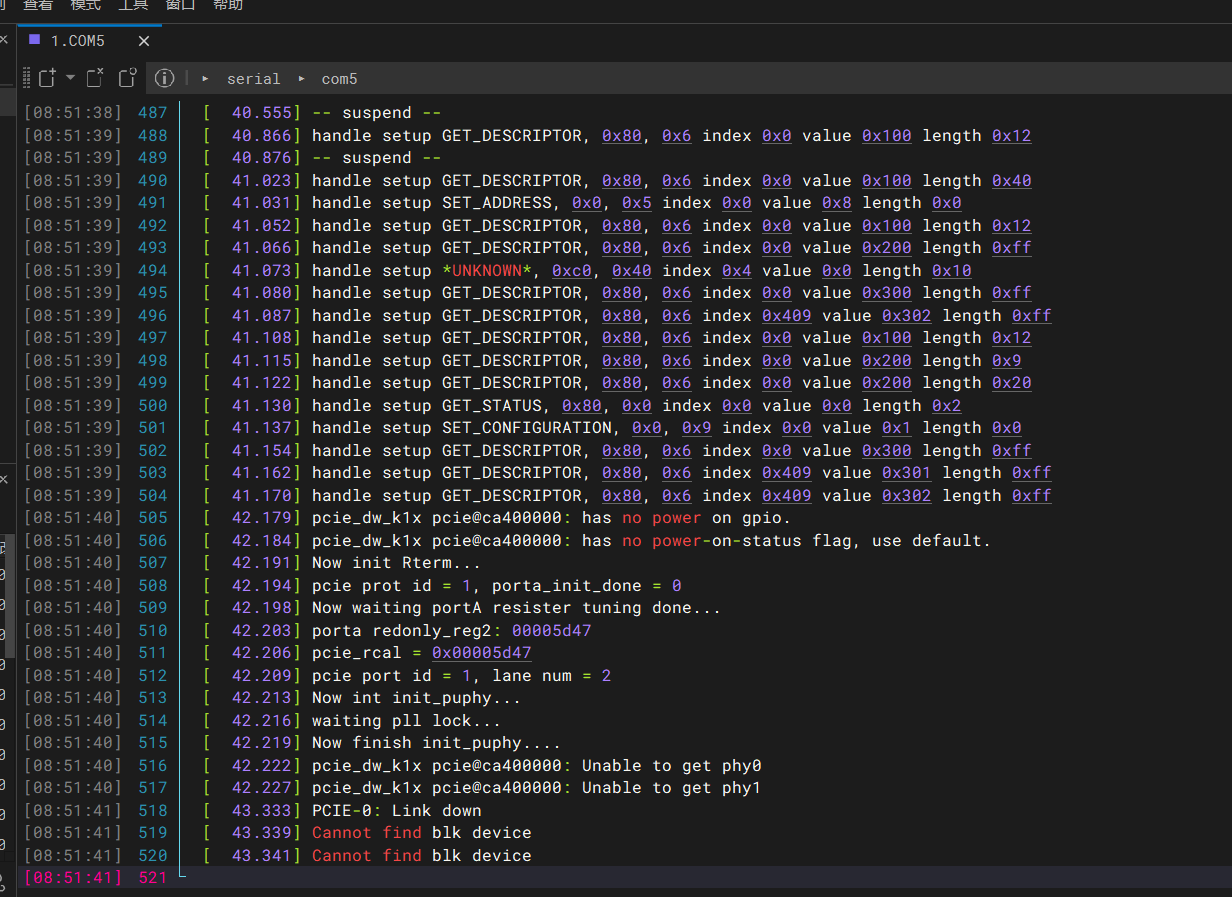
以下是启动日志:
sys: 0x1200
bm:2
ROM: usb download handler
usb2d_initialize : enter
Controller Run
usb rst int
SETUP: 0x80 0x6 0x100
usb rst int
SETUP: 0x80 0x6 0x100
SETUP: 0x0 0x5 0x2
SETUP: 0x80 0x6 0x100
SETUP: 0x80 0x6 0x200
SETUP: 0x80 0x6 0x30a
SETUP: 0x80 0x6 0x300
SETUP: 0x80 0x6 0x302
SETUP: 0x80 0x6 0x100
SETUP: 0x80 0x6 0x200
SETUP: 0x80 0x6 0x200
SETUP: 0x80 0x0 0x0
SETUP: 0x0 0x9 0x1
usb_rx_bytes : len= 4096 pBuf= 0xc0838720
SETUP: 0x80 0x6 0x300
SETUP: 0x80 0x6 0x301
SETUP: 0x80 0x6 0x302
SETUP: 0x80 0x6 0x300
SETUP: 0x80 0x6 0x301
SETUP: 0x80 0x6 0x302
SETUP: 0x80 0x6 0x300
SETUP: 0x80 0x6 0x30a
SETUP: 0x80 0x6 0x300
SETUP: 0x80 0x6 0x30a
SETUP: 0x80 0x6 0x300
SETUP: 0x80 0x6 0x30a
fastboot_handle_command: version-brom
usb_tx_bytes : len= 65 pBuf= 0xc083fe88
usb_rx_bytes : len= 4096 pBuf= 0xc0838720
SETUP: 0x80 0x6 0x300
SETUP: 0x80 0x6 0x30a
fastboot_handle_command: 0002ed20
Starting download of 191776 bytes
usb_tx_bytes : len= 65 pBuf= 0xc083fe88
usb_rx_bytes : len= 191776 pBuf= 0xc0800000
usb_tx_bytes : len= 65 pBuf= 0xc083fe88
usb_rx_bytes : len= 4096 pBuf= 0xc0838720
SETUP: 0x80 0x6 0x300
SETUP: 0x80 0x6 0x30a
fastboot_handle_command: continue
usb_tx_bytes : len= 65 pBuf= 0xc083fe88
j…
U-Boot SPL 2022.10spacemit-00601-g904eeebcd0-dirty (Mar 14 2025 - 03:47:31 +0000)
[ 55.799] DDR type LPDDR4X
[ 55.799] set ddr tx odt to 80ohm!
[ 55.820] lpddr4_silicon_init consume 21ms
[ 55.821] Change DDR data rate to 2400MT/s
[ 55.830] Warning: No LED config found for board k1-x_MUSE-Card
[ 55.833] GPIO LED initialized for k1-x_MUSE-Pi2 on pin 96
[ 57.988] …Boot from fit configuration k1-x_MUSE-Card
[ 58.142] ## Checking hash(es) for config conf_9 … OK
[ 58.148] ## Checking hash(es) for Image uboot … crc32+ OK
[ 58.159] ## Checking hash(es) for Image fdt_9 … crc32+ OK
[ 58.167]
U-Boot 2022.10spacemit-82685-g46a4f51035-dirty (Jun 14 2026 - 01:05:58 +0000)
[ 58.173] CPU: rv64imafdcv
[ 58.175] Model: spacemit k1-x MUSE-Card board
[ 58.180] DRAM: DDR size = 16384 MB
[ 58.183] 16 GiB
[ 58.233] reset driver probe start
[ 58.234] reset driver probe finish
[ 58.257] Core: 410 devices, 29 uclasses, devicetree: board
[ 58.270] WDT: Started PMIC_WDT with servicing (60s timeout)
[ 58.274] WDT: Started watchdog@D4080000 with servicing (60s timeout)
[ 58.284] MMC: sdh@d4280000: probe done.
[ 58.286] sdh@d4280000: 0
[ 58.288] Loading Environment from nowhere… OK
[ 58.296] Cannot support showing bootlogo in this boot mode!
[ 58.299] Unsupported boot mode for splash screen
[ 58.303] initialize_console_log_buffer
[ 58.307] Have allocated memory for console log buffer
[ 58.312] In: serial
[ 58.314] Out: serial
[ 58.316] Err: serial
[ 58.319] Default to 100kHz
[ 58.437] Found 2 valid MAC addresses.
[ 58.437] TLV item: product_name = k1-x_MUSE-Card
[ 58.445] Found device ‘hdmi@c0400500’, disp_uc_priv=000000007deb0610
[ 58.554] HDMI cannot get HPD signal
[ 58.554] spacemit_display_init: device ‘dpu@c0340000’ display won’t probe (ret=-1)
[ 58.672] HDMI cannot get HPD signal
[ 58.672] display devices not found or not probed yet: -1
[ 58.677] All buttons probed successfully
[ 58.684] k1x_qspi spi@d420c000: qspi iobase:0x0x00000000d420c000, ahb_addr:0x0x00000000b8000000, max_hz:26500000Hz
[ 58.692] k1x_qspi spi@d420c000: rx buf size:128, tx buf size:256, ahb buf size=512
[ 58.699] k1x_qspi spi@d420c000: AHB read enabled
[ 58.704] k1x_qspi spi@d420c000: bus clock: 26500000Hz, PMUap reg[0xd4282860]:0x0000075b
[ 58.711] k1x_qspi spi@d420c000: AHB buf size: 512
[ 58.717] SF: Detected gd25q64 with page size 256 Bytes, erase size 64 KiB, total 8 MiB
List of MTD devices:
[ 58.726] * nor0
[ 58.727] - device: flash@0
[ 58.730] - parent: spi@d420c000
[ 58.733] - driver: jedec_spi_nor
[ 58.737] - path: /soc/spi@d420c000/flash@0
[ 58.741] - type: NOR flash
[ 58.744] - block size: 0x10000 bytes
[ 58.747] - min I/O: 0x1 bytes
[ 58.750] - 0x000000000000-0x000000800000 : “nor0”
[ 58.755] - 0x000000000000-0x000000010000 : “bootinfo”
[ 58.760] - 0x000000010000-0x000000020000 : “private”
[ 58.765] - 0x000000020000-0x000000060000 : “fsbl”
[ 58.770] - 0x000000060000-0x000000070000 : “env”
[ 58.775] - 0x000000070000-0x0000000a0000 : “opensbi”
[ 58.780] - 0x0000000a0000-0x000000800000 : “uboot”
[ 58.785] k1xci_udc: phy_init
[ 58.790] k1xci_udc probe
[ 58.793] k1xci_udc: pullup 1
[ 58.799] – suspend –
[ 59.110] handle setup GET_DESCRIPTOR, 0x80, 0x6 index 0x0 value 0x100 length 0x12
[ 59.120] – suspend –
[ 59.270] handle setup GET_DESCRIPTOR, 0x80, 0x6 index 0x0 value 0x100 length 0x40
[ 59.277] handle setup SET_ADDRESS, 0x0, 0x5 index 0x0 value 0x2 length 0x0
[ 59.298] handle setup GET_DESCRIPTOR, 0x80, 0x6 index 0x0 value 0x100 length 0x12
[ 59.313] handle setup GET_DESCRIPTOR, 0x80, 0x6 index 0x0 value 0x200 length 0xff
[ 59.320] handle setup UNKNOWN, 0xc0, 0x40 index 0x4 value 0x0 length 0x10
[ 59.326] handle setup GET_DESCRIPTOR, 0x80, 0x6 index 0x0 value 0x300 length 0xff
[ 59.334] handle setup GET_DESCRIPTOR, 0x80, 0x6 index 0x409 value 0x302 length 0xff
[ 59.353] handle setup GET_DESCRIPTOR, 0x80, 0x6 index 0x0 value 0x100 length 0x12
[ 59.360] handle setup GET_DESCRIPTOR, 0x80, 0x6 index 0x0 value 0x200 length 0x9
[ 59.367] handle setup GET_DESCRIPTOR, 0x80, 0x6 index 0x0 value 0x200 length 0x20
[ 59.375] handle setup GET_STATUS, 0x80, 0x0 index 0x0 value 0x0 length 0x2
[ 59.382] handle setup SET_CONFIGURATION, 0x0, 0x9 index 0x0 value 0x1 length 0x0
[ 59.400] handle setup GET_DESCRIPTOR, 0x80, 0x6 index 0x0 value 0x300 length 0xff
[ 59.408] handle setup GET_DESCRIPTOR, 0x80, 0x6 index 0x409 value 0x301 length 0xff
[ 59.415] handle setup GET_DESCRIPTOR, 0x80, 0x6 index 0x409 value 0x302 length 0xff
[ 59.423] handle setup GET_DESCRIPTOR, 0x80, 0x6 index 0x0 value 0x300 length 0xff
[ 59.433] handle setup GET_DESCRIPTOR, 0x80, 0x6 index 0x409 value 0x301 length 0xff
[ 59.440] handle setup GET_DESCRIPTOR, 0x80, 0x6 index 0x409 value 0x302 length 0xff
[ 60.463] pcie_dw_k1x pcie@ca400000: has no power on gpio.
[ 60.467] pcie_dw_k1x pcie@ca400000: has no power-on-status flag, use default.
[ 60.475] Now init Rterm…
[ 60.477] pcie prot id = 1, porta_init_done = 0
[ 60.481] Now waiting portA resister tuning done…
[ 60.486] porta redonly_reg2: 00005d47
[ 60.489] pcie_rcal = 0x00005d47
[ 60.492] pcie port id = 1, lane num = 2
[ 60.496] Now int init_puphy…
[ 60.499] waiting pll lock…
[ 60.502] Now finish init_puphy…
[ 60.505] pcie_dw_k1x pcie@ca400000: Unable to get phy0
[ 60.510] pcie_dw_k1x pcie@ca400000: Unable to get phy1
[ 61.616] PCIE-0: Link down
[ 61.622] Cannot find blk device
[ 61.624] Cannot find blk device