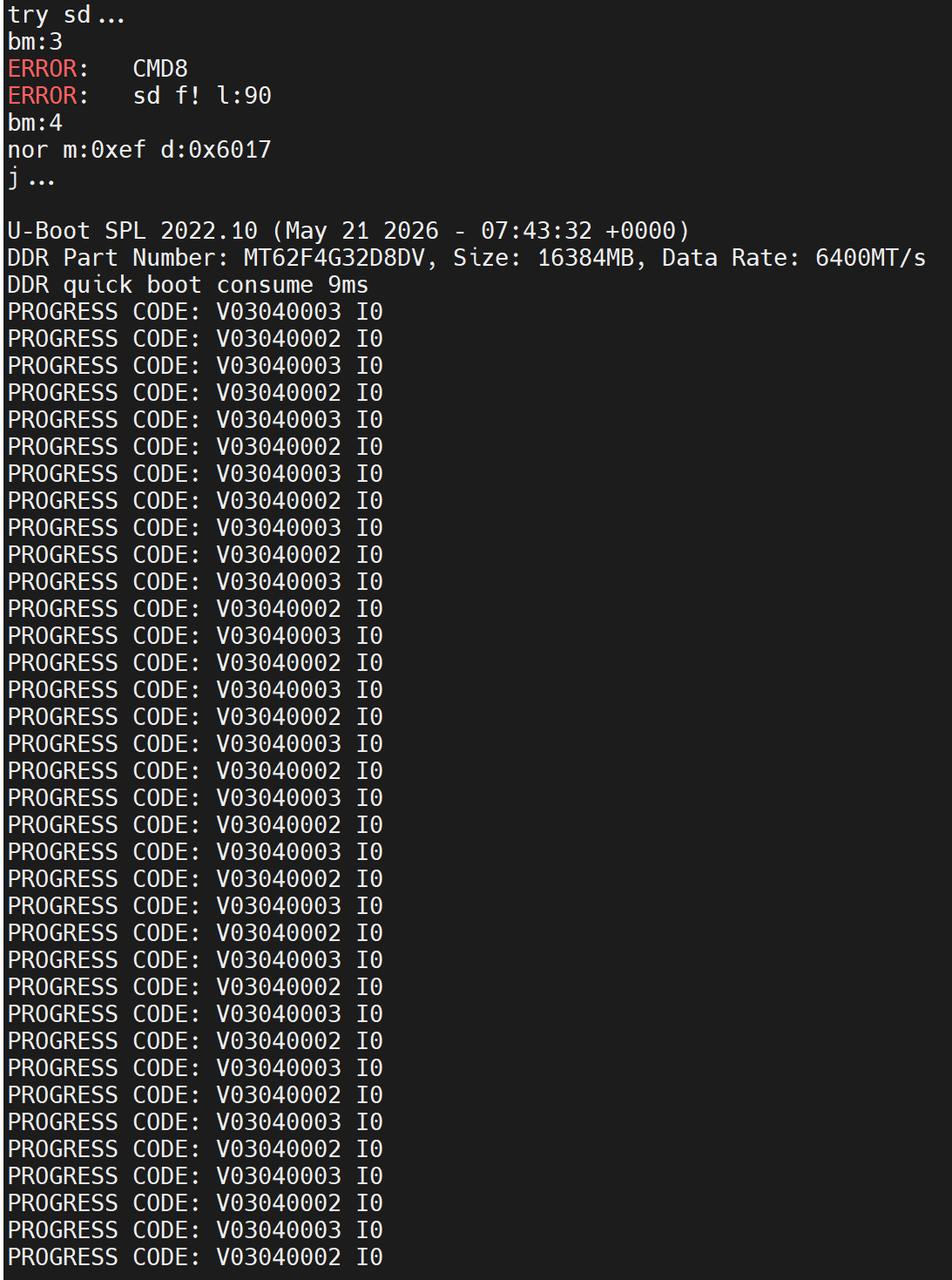
[info] ---》Start flashing the device

[info] 执行 fastboot getvar version-brom

[info] 1.0

[info] 执行 fastboot stage factory/FSBL.bin

[info] run fastboot continue

[info] 执行 fastboot getvar version

[info] 0.4

[info] 执行 fastboot oem speed:super-speed

[info] 执行 fastboot stage u-boot.itb

[info] run fastboot continue

[info] 执行 fastboot getvar mtd-size

[info] 8M

[info] 执行 fastboot getvar blk-size

[info] universal

[info] match partition table: ['partition_{size0}.json', 'partition_{size1}.json']

[info] Start matching partition table: partition_8M.json

[info] Start matching partition table: partition_4M.json

[info] Partition table matching successful: partition_4M.json

[info] Match the original partition table: partition_universal.json

[info] partition match result: partition_4M.json

[info] partition match result: partition_universal.json

[info] fastboot flash mtd partition_4M.json

[info] parse gpt/mtd table okay

[info] fastboot flash bootinfo bootinfo_spinor.bin

[info] fastboot flash fsbl FSBL.bin

[info] fastboot flash env env.bin

[info] fastboot flash esos esos.itb

[info] fastboot flash opensbi fw_dynamic.itb

[info] fastboot flash uboot edk2.itb

[info] fastboot flash gpt partition_universal.json

[info] parse gpt/mtd table okay

[info] fastboot flash env env.bin

[info] fastboot flash bootinfo bootinfo_block.bin

[info] fastboot flash fsbl FSBL.bin

[info] fastboot flash esos esos.itb

[info] fastboot flash opensbi fw_dynamic.itb

[info] fastboot flash uboot edk2.itb

[info] fastboot flash ESP esp.vfat

[info] fastboot flash bootfs bootfs.ext4

[info] fastboot flash rootfs rootfs.ext4

[info] ---》Successful flashing!
The output is shown above. There were no other issues during flashing, but when I restart the device, I can’t get to the interface, even by pressing F2. Does anyone have any suggestions?